

5 minutes
Accessibility is central to creating an effective digital experience. It influences how organizations connect, work, and interact with people in offices, schools, transit centers, hospitals, stores, and public spaces.
One of the cornerstones of digital experience is digital signage. It is a key communications tool for many organizations, and it must serve everyone. Accessibility is more than compliance. It clarifies, simplifies, creates trust, and makes environments safer.
As organizations look to improve digital experience, four main areas are becoming especially important:
- Understanding the impact of WCAG 2.2
- Designing accessible interactive experiences
- Supporting cognitive accessibility
- Ensuring emergency communications are inclusive and effective
WCAG 2.2: Accessibility expectations have evolved
One of the biggest accessibility changes in recent years is the adoption of WCAG 2.2. While many are still familiar with WCAG 2.0 or 2.1, version 2.2 includes updates that better reflect how people use digital systems today.
This matters because digital experiences have changed significantly. People now use touchscreens, kiosks, and mobile devices, not just desktop websites. WCAG 2.2 responds to these changes by putting more emphasis on usability, cognitive accessibility, touch features, and clear navigation cues.
One important area is improving keyboard and focus visibility. Interactive systems should clearly indicate where users are, especially for keyboard or assistive device users. If the focus on kiosks or displays is unclear, it can quickly lead to frustration.
Touch target size is also crucial. Small buttons and crowded layouts may look modern, but they make things harder for people with limited movement. WCAG 2.2 encourages designers to use larger, easier-to-use touch areas for everyone.
Additionally, the guidelines address areas such as repetitive data entry, difficult logins, and actions that require dragging or complex gestures. These issues may appear minor, but they can present real accessibility challenges for users.
WCAG 2.2 is important because it signals a greater shift in accessibility. It is now about the entire user experience, not just following rules. Organizations are starting to see that accessible systems are often just better systems. They are easier to navigate, easier to understand, faster to use, less frustrating, and more user-friendly.
Accessibility needs to move beyond passive screens
Older digital signs mainly displayed information. Now, digital experiences are becoming much more interactive. Today’s environments include self-service kiosks, room booking displays, interactive wayfinding screens, and more. As systems grow more interactive, preserving accessibility becomes more complex.
Accessible design now must go beyond readable text or good contrast. It also considers how people interact physically, how they move, audio features, the environment, and how to offer users different ways to complete tasks. For example, touchscreen accessibility requires careful attention to reach range and screen placement. A kiosk mounted too high may be unusable for wheelchair users. A screen at the wrong angle can create glare and reduce visibility. Touch targets that are too small can be difficult for users with limited mobility.
Modern accessibility design also needs to support the different ways people interact. Not everyone uses technology the same way. Some use touch, others use keyboards, voice commands, mobile devices, or other methods. That’s why supporting multiple ways to interact is becoming increasingly important in digital design.
An area of increasing focus is audio accessibility. More interactive systems rely on audio instructions, announcements, or voice interfaces. Accessibility here may include:
- Closed captions
- Adjustable volume controls
- Visual alternatives to audio prompts
- Headphone compatibility
- Speech alternatives
The most accessible systems are flexible. They offer options so users can choose what works best for them. This not only improves accessibility but also makes systems more reliable and easier to use in different settings.
Cognitive accessibility is now a major focus
Cognitive accessibility is an important newer focus area. Historically, accessibility mainly focused on helping people with visual impairments. While that remains important, organizations now recognize the need to design for people with ADHD, Dyslexia, Autism, processing disorders, sensory sensitivities, and more.
Complex layouts, excessive animation, clutter, and confusing navigation hinder understanding and use. This is especially important in places with constant digital messages. Offices, schools, hospitals, airports, and stores already compete for people’s attention. Poor digital design can quickly lead to overload.
Accessible design puts clarity first, not complexity. It prioritizes a clear hierarchy, predictable layouts, reduced distractions, logical sequencing, simple navigation, and intentional pacing
Too much animation, flashing, or rapidly changing content can make some viewers of digital signage uncomfortable or create barriers. A design that provides a calmer, more controlled experience with less visual clutter is beneficial for everyone. Clear messaging helps users process information more quickly. Better hierarchy improves navigation. Reduced clutter improves understanding. Consistent interfaces reduce frustration and learning curves.
Accessible emergency communication is now essential
In emergencies, communication must be fast, clear, and accessible to all. If people miss vital information, the consequences can be serious. Modern emergency communication systems are expected to support a wide range of accessibility requirements, including visual and audio alerts, captioned announcements, multilingual messaging, colour-independent warnings, and more.
This is particularly important within environments such as healthcare facilities, airports, universities, and organizations with multiple buildings. Today’s emergency communications need to be clear and use multiple methods to convey the message. Critical information should be communicated simultaneously through multiple channels, including digital signage, audio announcements, and mobile notifications.
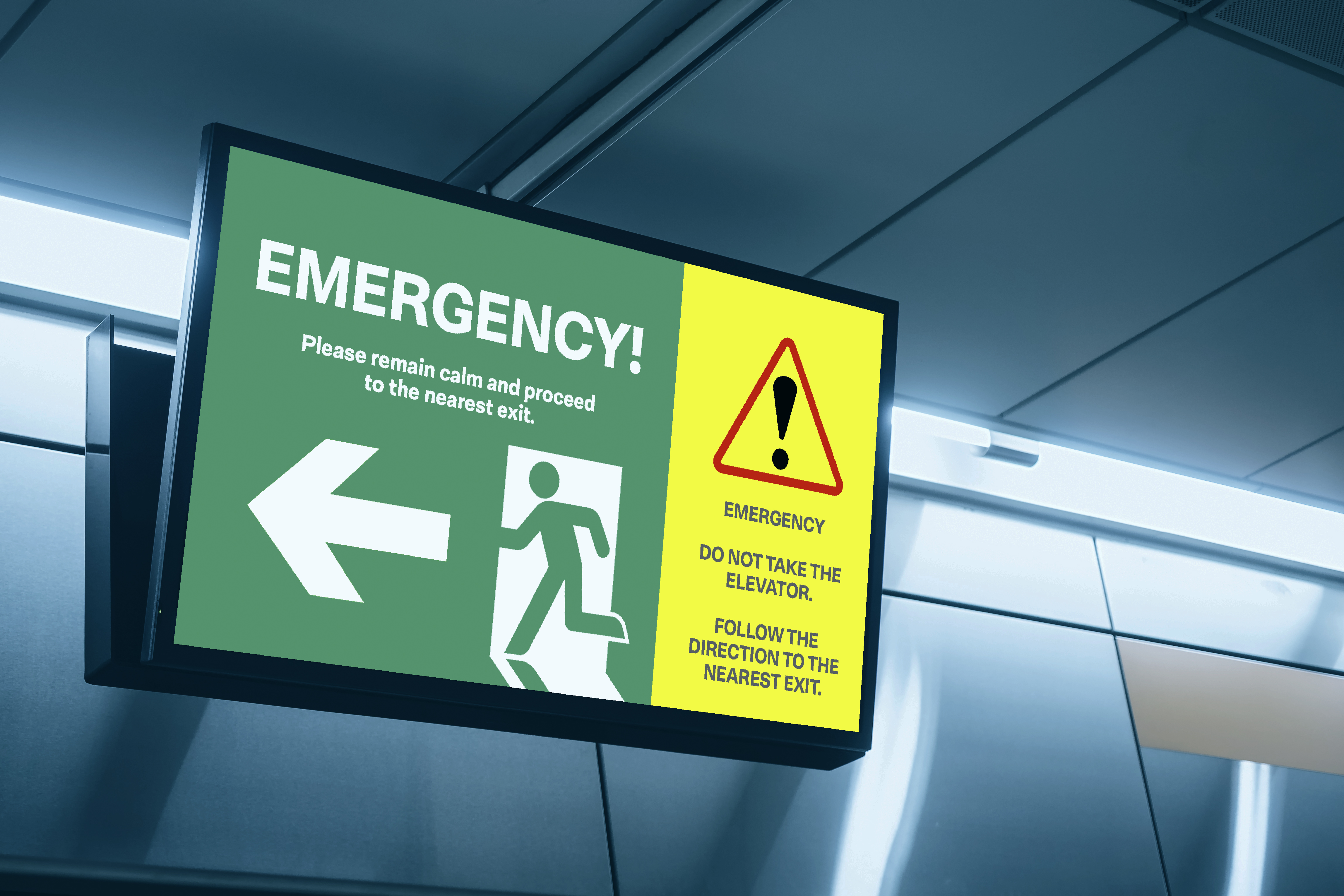
Consistency is important during emergencies. Interfaces and messages should remain familiar and predictable, especially when people are under stress. Complicated layouts or confusing navigation are even harder to manage in these situations. It is essential to ensure communications include:
- Accessible text formats
- Clear iconography
- Simple language
Accessibility is becoming a core part of experience strategy
Accessibility isn’t an afterthought or a checklist item. It’s now a basic part of digital strategy. Accessible design improves usability, engagement, clarity, efficiency, experience, trust, safety, and inclusivity.
The future of digital experiences isn’t only about adding more screens or technology. It’s focused on creating spaces that communicate with everyone. Whether you’re designing workplace messages, kiosks, wayfinding, emergency alerts, or dashboards, accessibility is key for creating experiences that are strong, inclusive, and effective.